Smart Thermostats: Which Ones Actually Save Money (and Which Don't)
Not every smart thermostat saves money — and even the good ones need to be set up right. Here's what actually works after two years of testing in my own house.

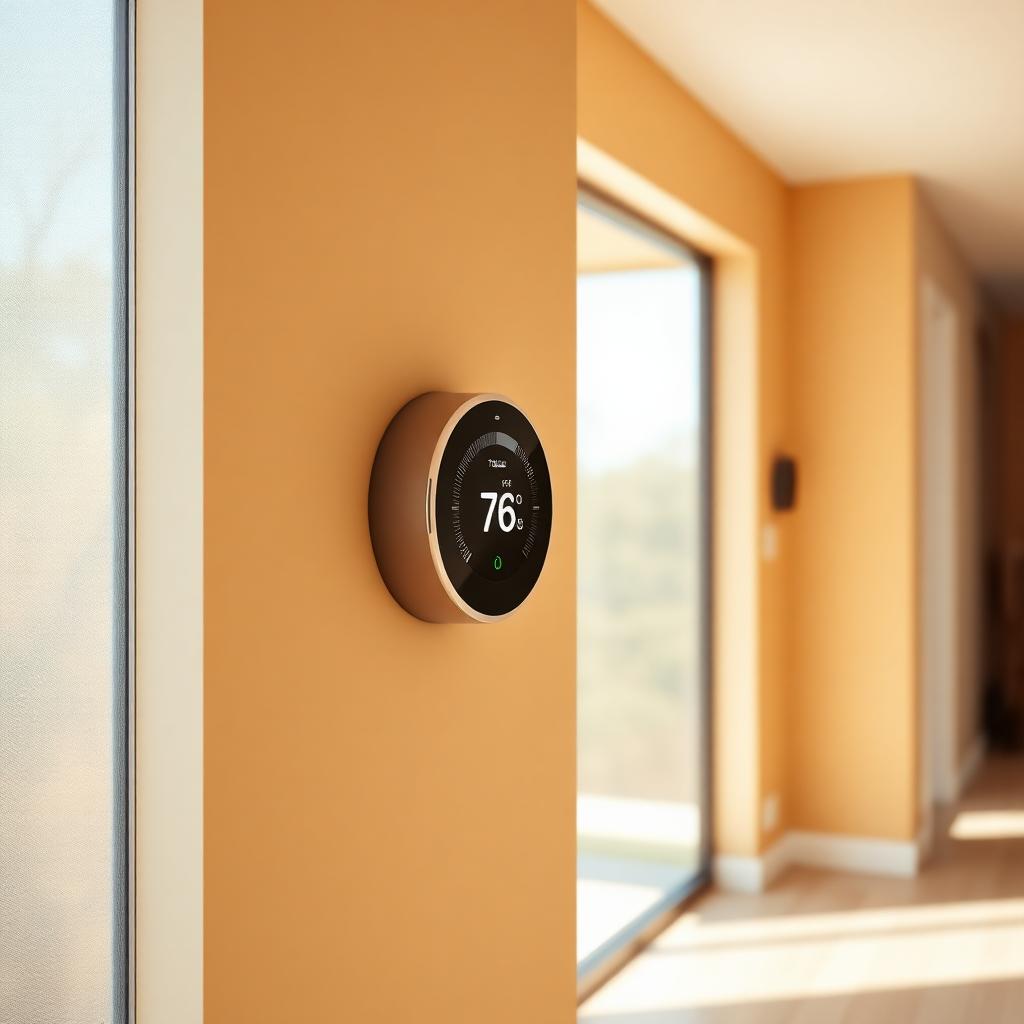
I've had four different smart thermostats installed in my 1970s ranch over the last three years — one for each of the major platforms, plus one budget option I wanted to test. Two of them measurably lowered my heating and cooling bills. One made no difference. One actually cost me money because it kept 'learning' the wrong things and I gave up and turned scheduling off.
The pitch on smart thermostats is that they'll pay for themselves in a year through energy savings. That's true for some households and totally false for others. Whether you get the savings depends less on the brand and more on your existing habits, your HVAC system and whether you actually set the schedules up.
Who actually saves money with a smart thermostat
The households that see the biggest savings share three traits: they leave the house on a predictable schedule (work, school), they were previously running their HVAC at the same temperature 24 hours a day, and they have a modern gas or electric forced-air system. If you already had a programmable thermostat that you used, or if you work from home and the house is always occupied, expect much smaller savings — maybe five to ten percent instead of the fifteen to twenty percent Nest and ecobee advertise.
The Department of Energy estimates you save roughly one percent on heating and cooling for every degree of setback over an eight-hour period. That means dropping the thermostat from 70 to 62 while you're at work in winter saves about eight percent on the heating portion of your bill. A smart thermostat that does that automatically is worth having; one that costs $250 and saves you $60 a year takes four years to pay back — still positive, but not the dramatic figure the marketing suggests.
The devices worth buying
After testing four devices for a year each in the same house, here's my honest read:
**ecobee Smart Thermostat Premium.** My current pick and the one I recommend to friends. The remote sensors are the killer feature — you put one in the bedroom, one in a room that's always cold, and the system averages the readings so it heats to comfort in the rooms you actually use, not just wherever the wall-mounted unit happens to be. Setup takes about 45 minutes for a competent DIYer. Around $250.
**Google Nest Learning Thermostat (4th gen).** Prettier hardware and a genuinely good learning algorithm. Best if you have very consistent daily patterns; less good if your schedule varies. The main downside is that it does not include remote sensors as standard, and add-ons are pricey. Around $280.
**Amazon Smart Thermostat.** The budget pick at around $80. Basic scheduling, works with Alexa, no learning. If your goal is to eliminate the 'we forgot to turn it down before leaving for the weekend' problem, this is enough. If you want automation that adapts to you, spend more.
**Honeywell Home T9.** Solid mid-priced option with remote sensors similar to ecobee. Slightly less polished app but reliable. Around $170.
Setup mistakes that erase the savings
The most common mistake is leaving the default eco-mode setback at one or two degrees. That's barely enough to save real money. A useful setback is five to ten degrees — in winter, from a 70 comfort temperature down to 60-62 when the house is empty overnight or during work hours. Do the same in reverse for cooling: from 74 comfort up to 82 when the house is empty.
The second most common mistake is over-riding the schedule constantly. Every time you touch the thermostat, most 'learning' models treat that as new preference data. If you routinely bump the temperature up when you get home cold, the thermostat starts pre-heating earlier and earlier and the savings evaporate. Trust the schedule; wait ten minutes in a sweater when you get home. It's a real behavior change, not a technical one.
The third mistake is installing a smart thermostat without a common (C) wire. Many older systems don't have one, and thermostats that try to 'steal' power from the heating circuits cycle strangely, especially with high-efficiency furnaces. If your wall doesn't have a C wire, install one, or use an adapter kit from the thermostat maker. Symptoms of a missing C wire include the thermostat rebooting itself and the furnace short-cycling.
Features worth having, features that don't matter
**Worth having:** remote sensors (especially in a multi-story or leaky house), geofencing that switches to away mode when the last phone leaves, integration with your utility's demand-response program (some utilities pay you $50-100 a year to let them briefly pre-cool your house before peak demand), and voice control if you already have a smart speaker.
**Doesn't matter:** the touchscreen color, the ambient light that changes with temperature, the app's ability to 'learn' if you have variable schedules, or integration with obscure smart-home platforms. The last one especially — Matter compatibility is a nice-to-have; a fancy proprietary hub is not.
Installation: what to expect if you DIY it
Kill the power to the furnace at the breaker before you touch anything. HVAC low-voltage wiring is 24VAC and won't shock you badly, but you can short across contacts and blow the transformer, which is a $200-400 repair.
Take a phone photo of the old thermostat's wiring before you disconnect anything. Every color has a standard purpose (R for power, W for heat, Y for cool, G for fan, C for common), but not every installer follows the standard. The photo is your backup.
Most smart thermostats include a paper wiring adapter that maps your existing wires to their terminals. Fill it in as you disconnect the old thermostat and follow it as you connect the new one. Turn power back on, walk through the setup wizard on the device, and test heat and cool separately with a five-degree call each. If either doesn't respond within a few minutes, kill the power and re-check the wiring.
When a smart thermostat isn't worth it
There are households where I'd honestly say don't bother. If you have baseboard electric heat with a dedicated line-voltage thermostat in each room, a standard smart thermostat won't work at all — you need specific line-voltage models like the Mysa. If you have a very old boiler and radiators with a single zone, the savings are limited because setback recovery takes so long. And if you're already running a strict schedule with a decent programmable thermostat and getting comfortable results, upgrading to smart may save you $20 a year, which isn't worth a $200 device and an afternoon of work.
Expert tips
- •Turn on 'smart recovery' or 'early start' in the app. Without it, the thermostat starts heating at the scheduled time and your house doesn't reach comfort until 20-30 minutes later; with it, the system pre-heats so you hit your setpoint exactly on schedule.
- •Enable the utility rebate program if your utility offers one. Many will send you $50-100 per thermostat for enrolling in demand-response, which shortens payback dramatically.
- •Take a screenshot of your current thermostat's runtime history before you install a new one. Comparing month-over-month energy bills is the only real way to know if the new device is actually saving you money.
Common mistakes to avoid
- ✕Setting the setback too small (one or two degrees). The savings scale with the temperature difference; a five-to-ten degree setback pays back many times more than a token change.
- ✕Overriding the schedule every day. It defeats learning and adds runtime you're not aware of.
- ✕Installing without a C wire on a system that needs one, then blaming the thermostat when the furnace short-cycles.
Frequently asked questions
Sources & further reading
- U.S. Department of Energy: Thermostats — U.S. Department of Energy
- Energy Star Smart Thermostat program — U.S. Environmental Protection Agency
- ACEEE Smart Thermostat Report — American Council for an Energy-Efficient Economy
Editor's note: James installed and lived with each of the thermostats reviewed here for at least six months in his own home. The recommendations reflect what he'd buy again, not sponsored placements.
Weekend woodworker and smart-home tinkerer. Tests every device he writes about in his own 1970s ranch house.
More in Smart Home Technology
Smart Home Devices Worth Buying in 2026
An honest list of smart home devices that earn their spot, and the ones that get unplugged after six months.
Related topics
Ideas from nearby corners of the site you'll probably like too.
Basement Waterproofing: What Actually Works, in Order
Most basement waterproofing money is spent on the wrong fixes. Here's the order that actually works, starting with the ones that cost nothing.
Bathroom Remodeling Ideas That Look Great and Age Well
Bathroom remodeling ideas that still look right ten years in — from layout to finish choices, without the trend regrets.
Eco-Friendly Laundry: A Complete Guide That Actually Works
The lower-impact laundry choices that actually make a difference — and the ones that just make you feel virtuous while your clothes come out dingy.